6x9 (trim 9 x 6 in, file 9.25 x 6.25 in)
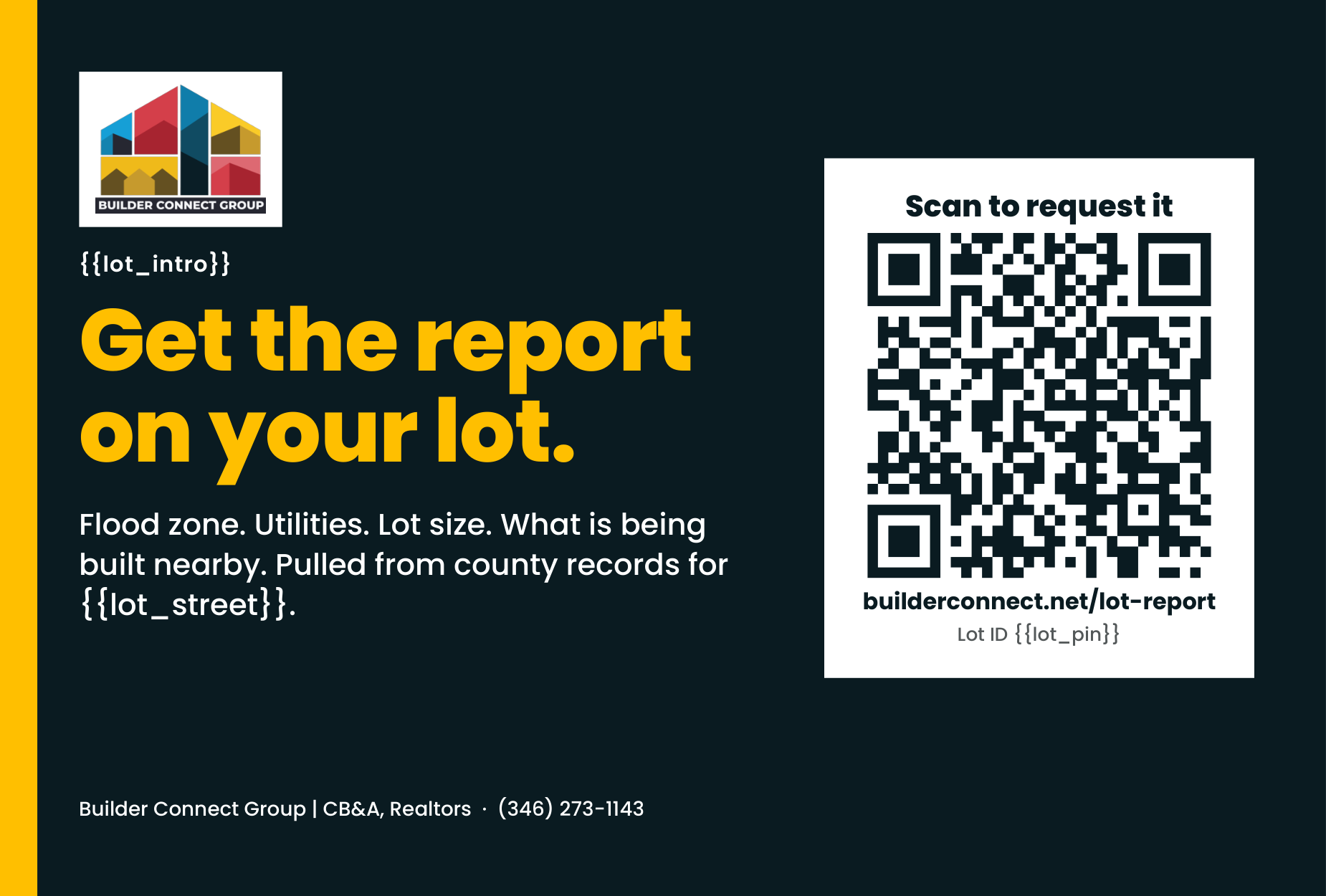
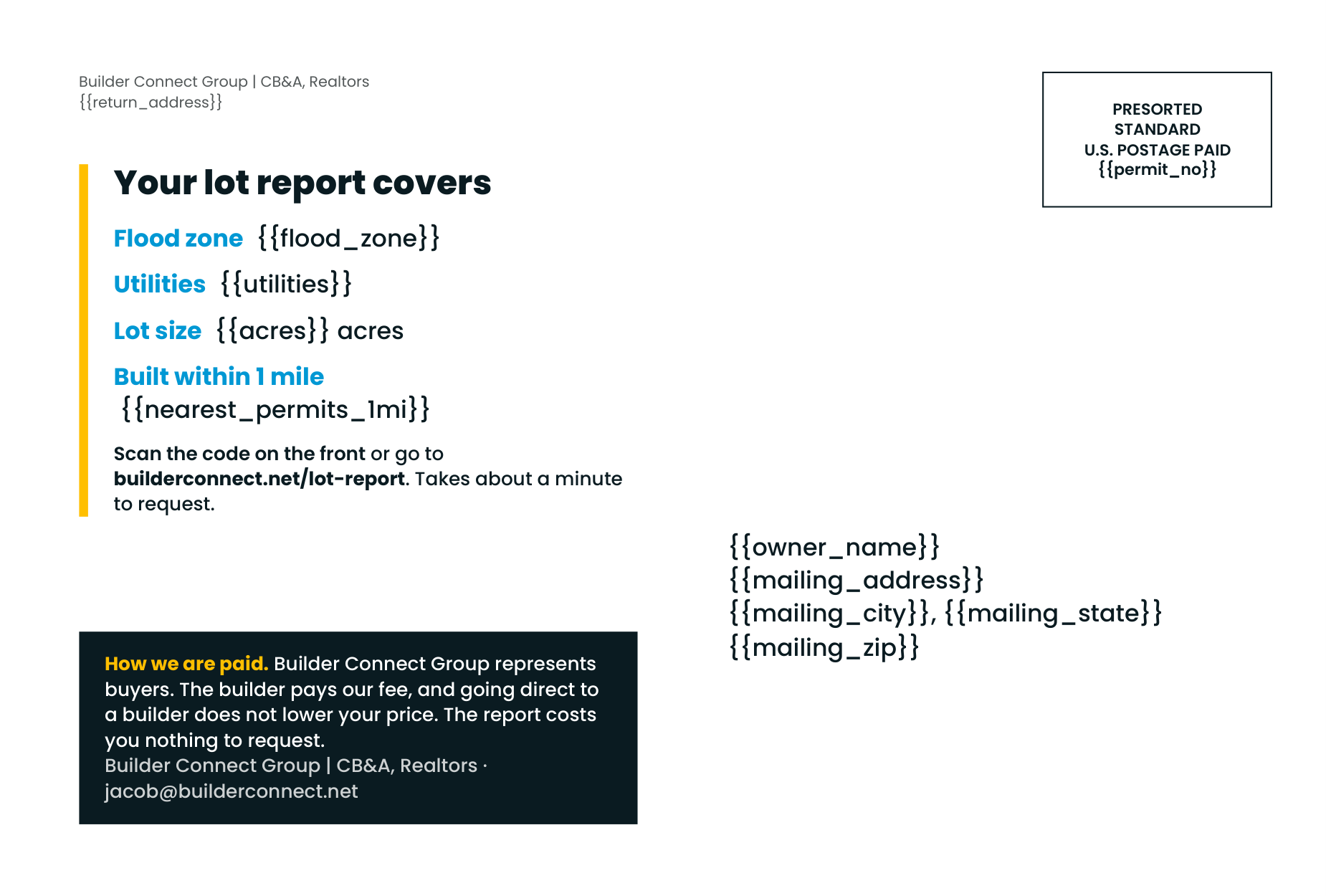
postcard-6x9.pdf (2 pages, front then back) · source HTML · HTML with guides
4x6 (trim 6 x 4 in, file 6.25 x 4.25 in)
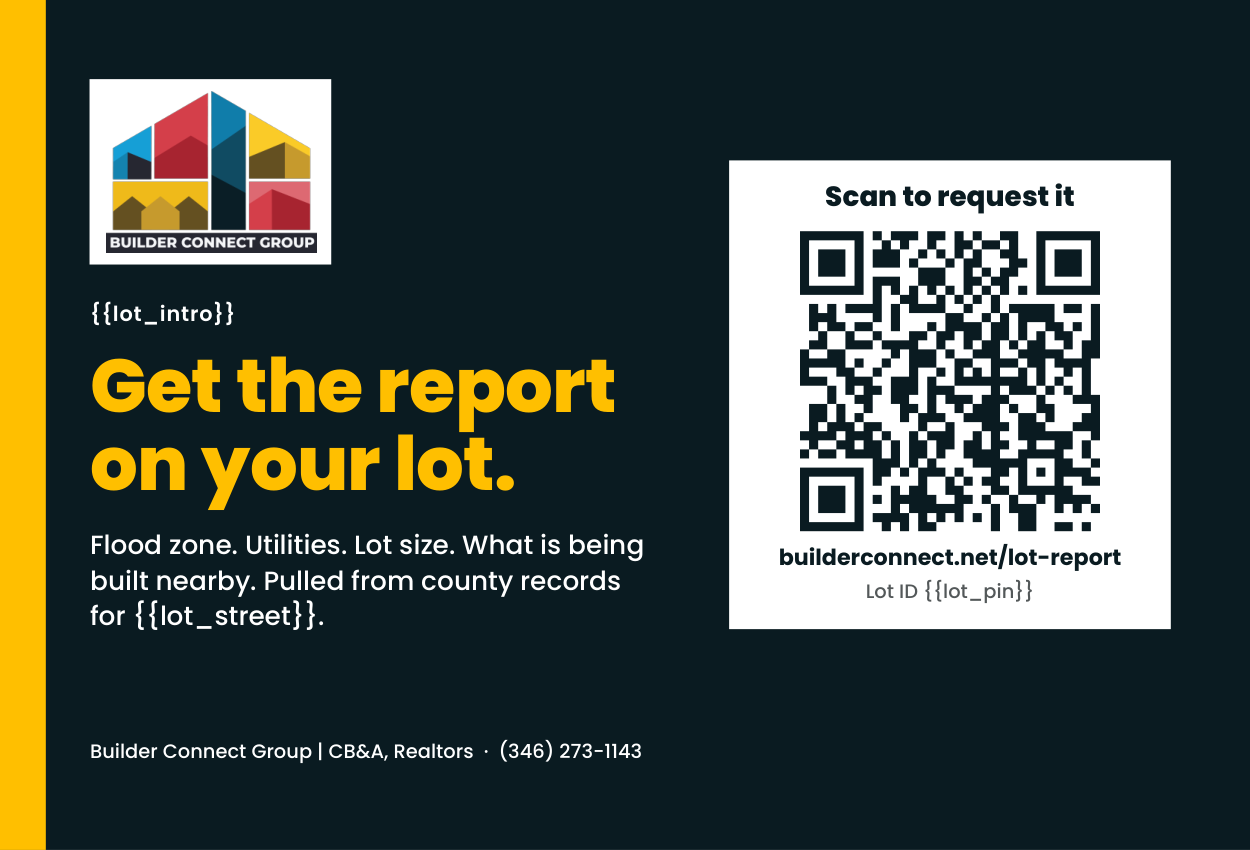
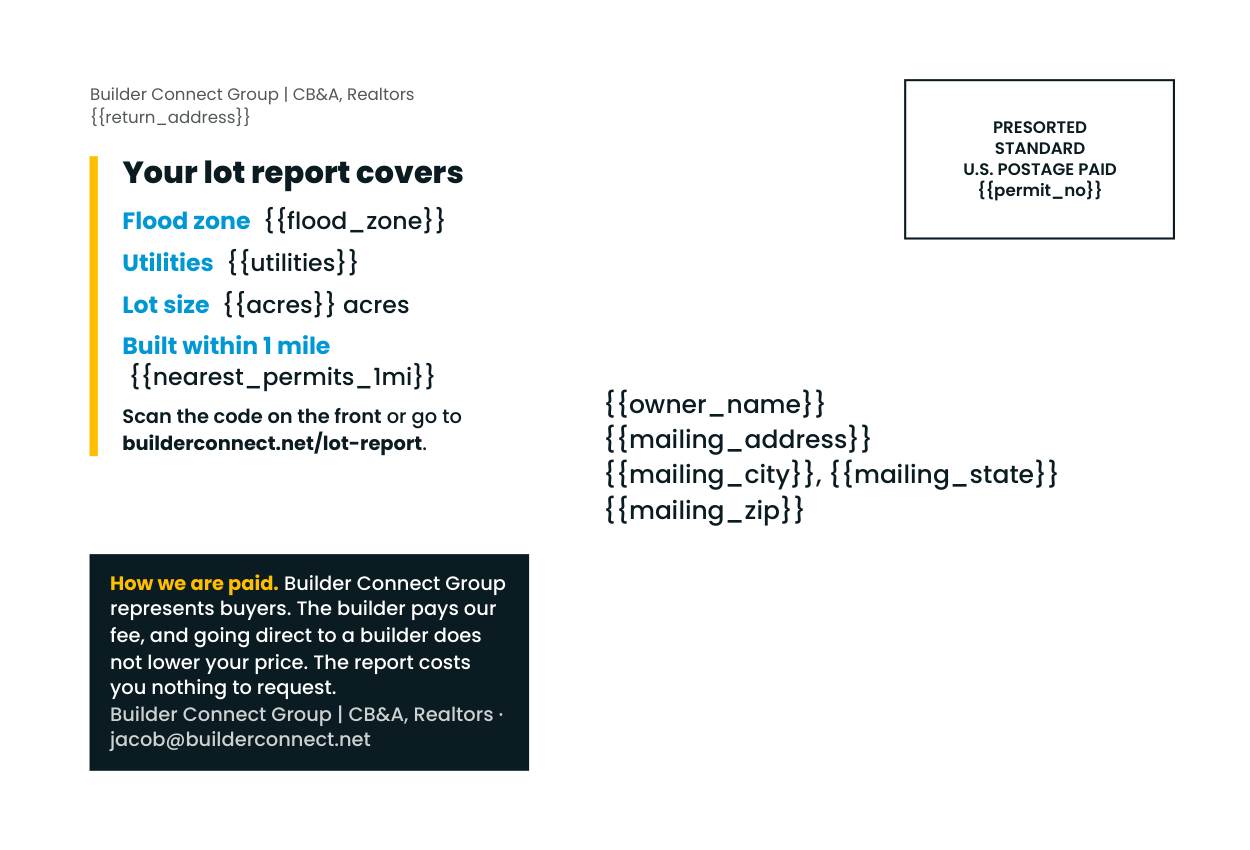
postcard-4x6.pdf (2 pages) · source HTML · HTML with guides
Guides view (red = trim, green dashed = 0.25in safe, red dashed boxes = indicia and address zones)
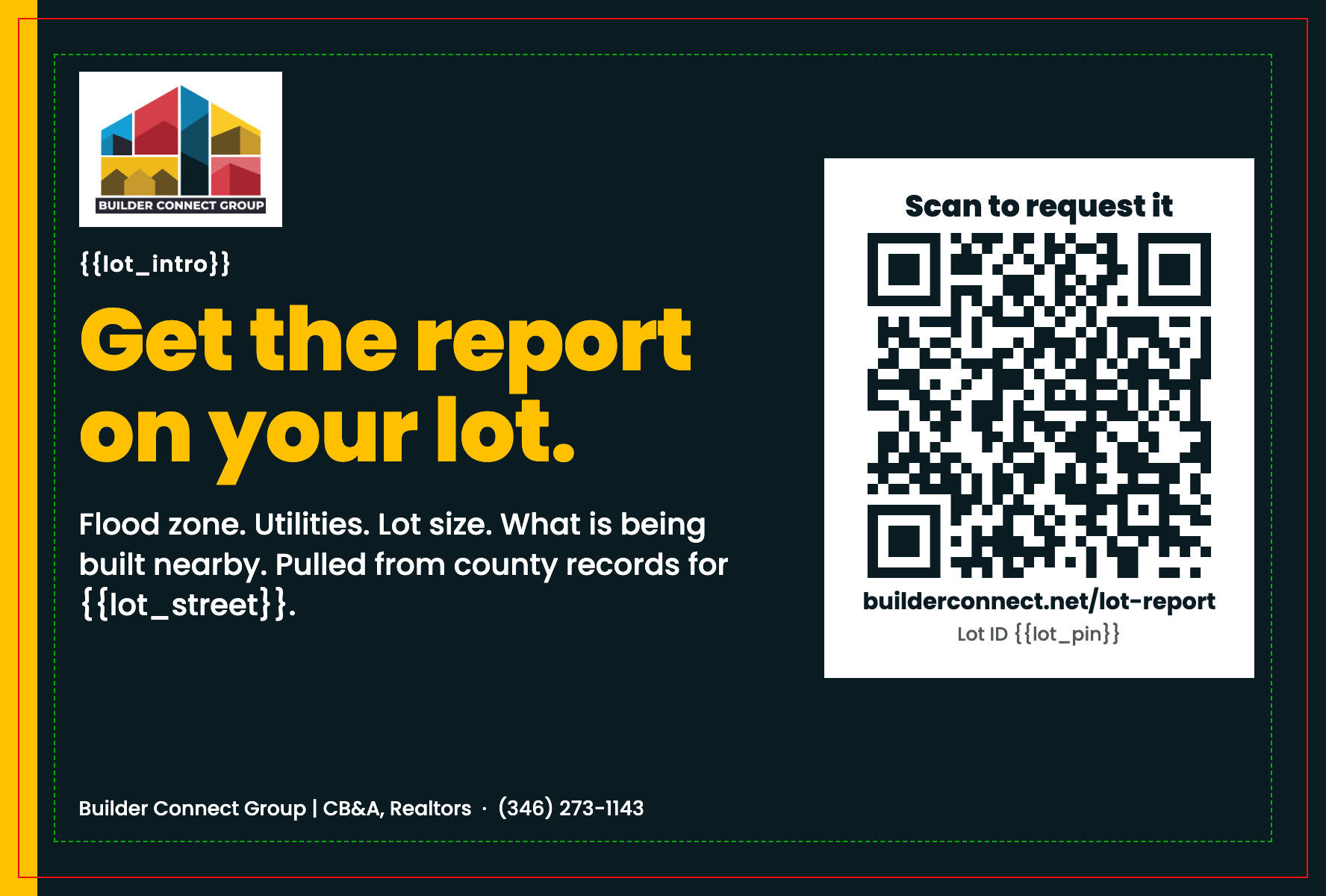
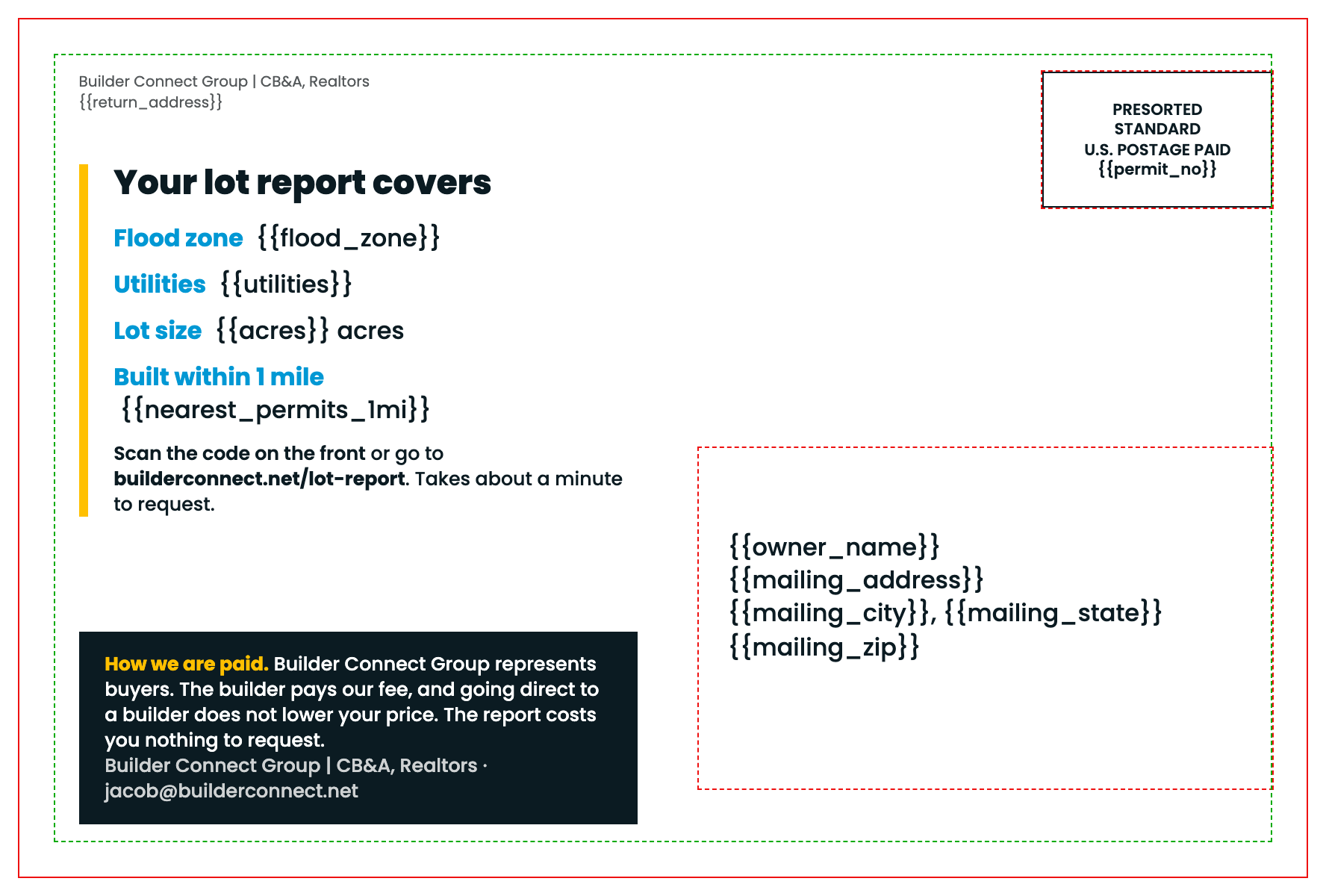
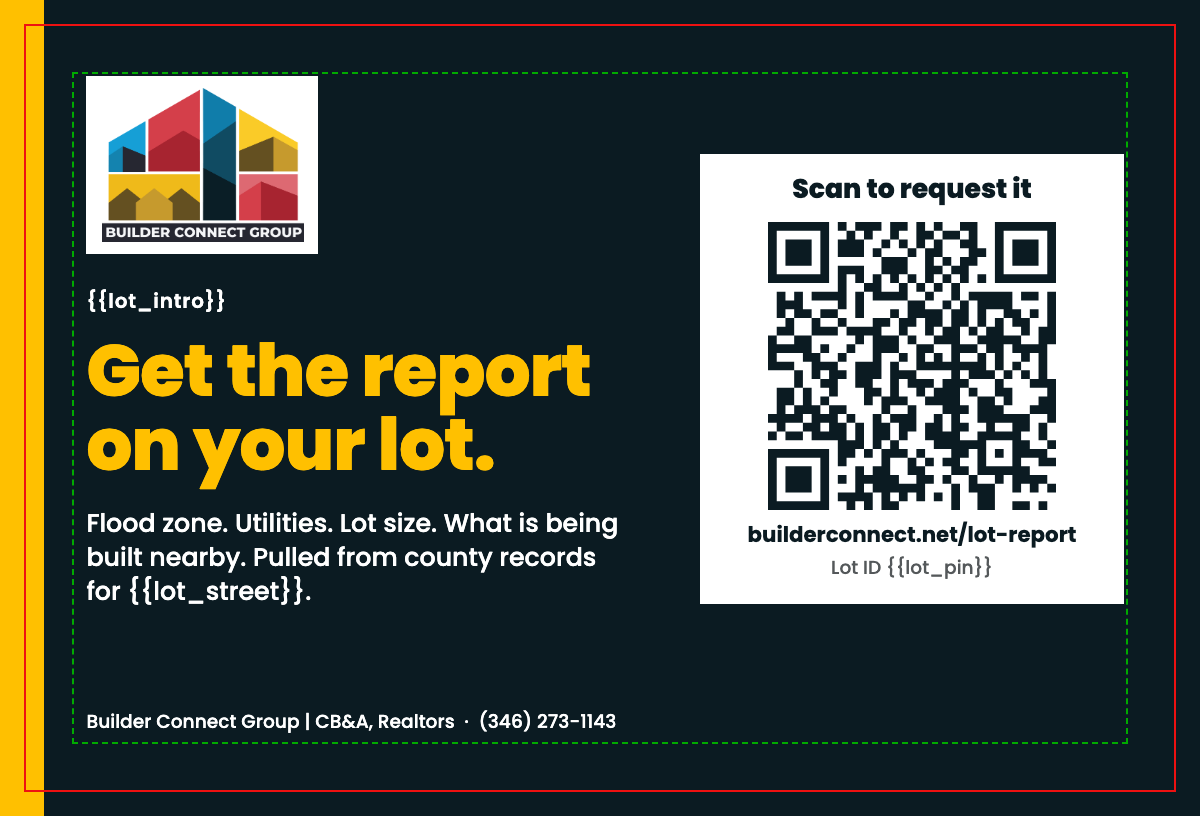
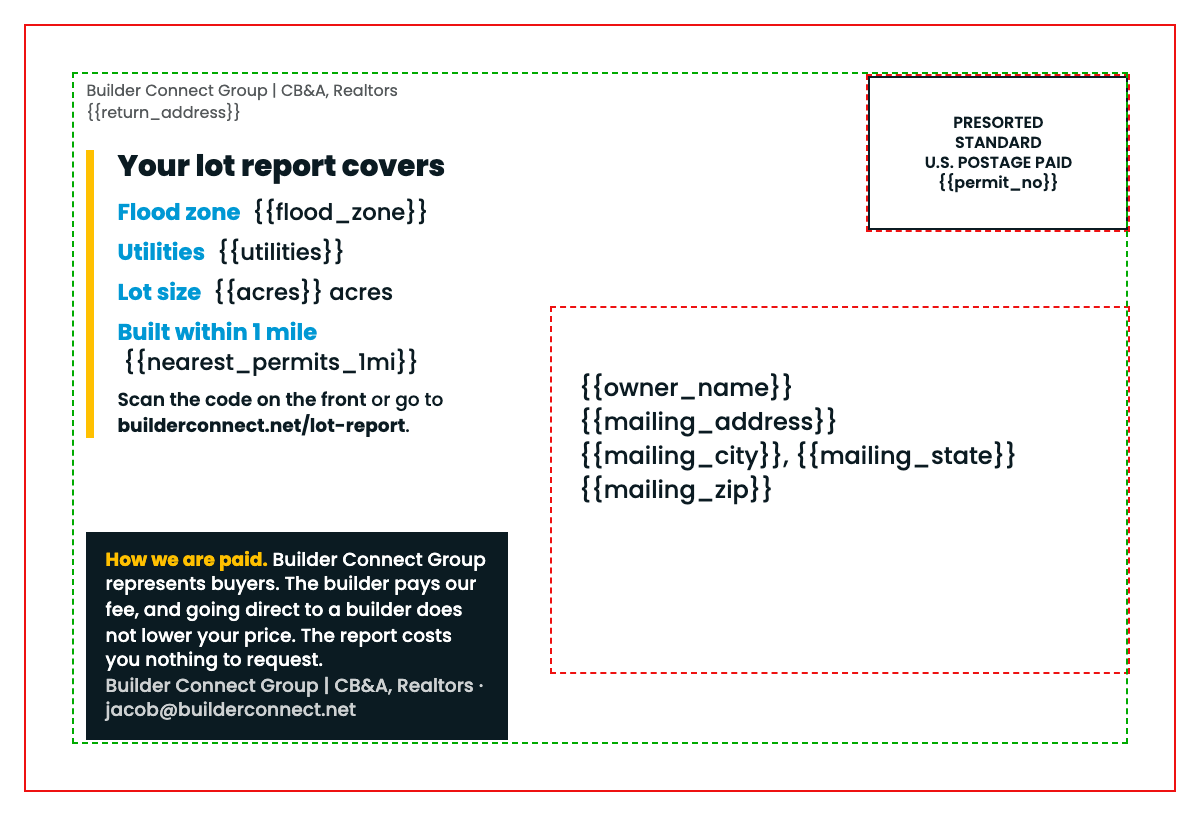
Operator note: SAMPLE and merge fields
SAMPLE, not customer copy. Every
{{field}} on the cards is a merge field the mail house fills per record. Flood zone, utilities and nearby permits are not in the sample absentee file, so they must come from the parcel data pull before print. Do not hand-fill them. Nothing on these cards states a fact about any real address.| Field | Source | Notes |
|---|---|---|
{{lot_intro}} | Segment copy | Hot feed: "You recently bought a lot on {{lot_street}}." Absentee: "You own a lot on {{lot_street}}, {{lot_city}}." One template, two segments. |
{{lot_street}}, {{lot_city}} | lot_situs | Site address of the lot, not the owner mailing address. |
{{lot_pin}} | pin | Printed so the landing page can pre-fill the lot. Per-record QR (adds &pin=) is optional variable data. |
{{acres}} | acres | Appraisal roll. |
{{flood_zone}}, {{utilities}}, {{nearest_permits_1mi}} | Parcel data pull | Not in sample file. Required before print. If a record has no value, drop that line rather than print a blank. |
{{owner_name}}, {{mailing_address}}, {{mailing_city}}, {{mailing_state}}, {{mailing_zip}} | Mail list | Address block. Mail house applies barcode and CASS. |
{{return_address}}, {{permit_no}} | Jacob | [MAILING ADDRESS TO BE SET BY JACOB] and the permit imprint number. Indicia wording must match the mail house permit. |
Open items for Jacob. (1) The QR encodes
https://builderconnect.net/lot-report?src=pc-c, a placeholder. Confirm the live BOYL landing URL and re-run before print. (2) The front line "Get the report on your lot" does not describe the service as free. The back says the report costs nothing to request, next to the compensation line. (3) No construction price range appears on this concept, so [RANGE TO BE SET BY JACOB] is not needed.Print spec note
| Item | 6x9 | 4x6 |
|---|---|---|
| Trim | 9 x 6 in (landscape) | 6 x 4 in (landscape) |
| File with bleed | 9.25 x 6.25 in, 0.125 in bleed every edge | 6.25 x 4.25 in, 0.125 in bleed every edge |
| Safe margin | 0.25 in inside trim (0.375 in from file edge). The yellow front stripe and navy ground are the only elements that run to bleed. | |
| Address zone, back lower right | 4.0 x 2.375 in, 0.25 in from right trim, 0.625 in from bottom trim (barcode clear zone) | 3.0 x 1.9 in, same offsets. Confirm with the mail house; 4x6 cards often need a slightly smaller block. |
| Indicia, back upper right | 1.6 x 0.95 in | 1.35 x 0.8 in |
| Playwright page.pdf at exact bleed size, 2 pages (front, back), vector type and QR. No crop marks; add at the printer if required. | ||
| Raster | Logo is a trimmed copy of bc-primary-mark.png, 2261 x 1725 px. Placed 1.18 in wide on 6x9 (about 1900 dpi effective) and 1.05 in wide on 4x6 (about 2150 dpi effective), above 300 dpi and 1 in minimum. Not recoloured or stretched. QR is vector SVG. | |
| Min type | 7 pt on 4x6 (small print), 9.5 pt on 6x9. | |
CMYK intent for brand colours (official builds from the Visual Brand Guidelines, confirm against a printer proof)
| Colour | Hex | CMYK build | Use |
|---|---|---|---|
| Navy | #0B1B22 | C88 M70 Y60 K65 (brand guide build, Pantone Black 6 C; 283% total ink, within the 300% press limit) | Front ground, text, compensation panel |
| Yellow | #FFC000 | C0 M25 Y100 K0 (Pantone 116 C) | Headline, stripe, back accent rule |
| Blue | #0098D4 | C100 M28 Y0 K17 (Pantone 2925 C) | Back field labels |
| Red | #AA0623 | C20 M100 Y90 K15 (Pantone 1797 C) | Not used on these cards (never a background) |
PDF is RGB as exported by Chromium. Convert to CMYK at the printer using the builds above. The return address sits outside the USPS address zone (top left); the zone itself holds only the recipient lines; no neon RGB is used.